Two of the most cross-shopped sub-₹30,000 FDM printers in India. One is hands-off and does colour; the other is cheaper, open and prints ABS. Here is which fits you.
Disclosure: ReviewsTrusted may earn commissions from qualifying purchases made through links on this page. Our opinions remain independent and based on our research and evaluation process. Learn more.
The Bambu Lab A1 and the Creality Ender 3 V3 KE are two of the most cross-shopped 3D printers in India, and for good reason — both are open-frame FDM machines that sit around the same sub-₹30,000 mark, both auto-level, and both have Wi-Fi. But they come from opposite philosophies. The A1 is a polished, closed ecosystem built to just work; the Ender 3 V3 KE is a cheaper, open Klipper machine built to be tinkered with. That difference decides everything.
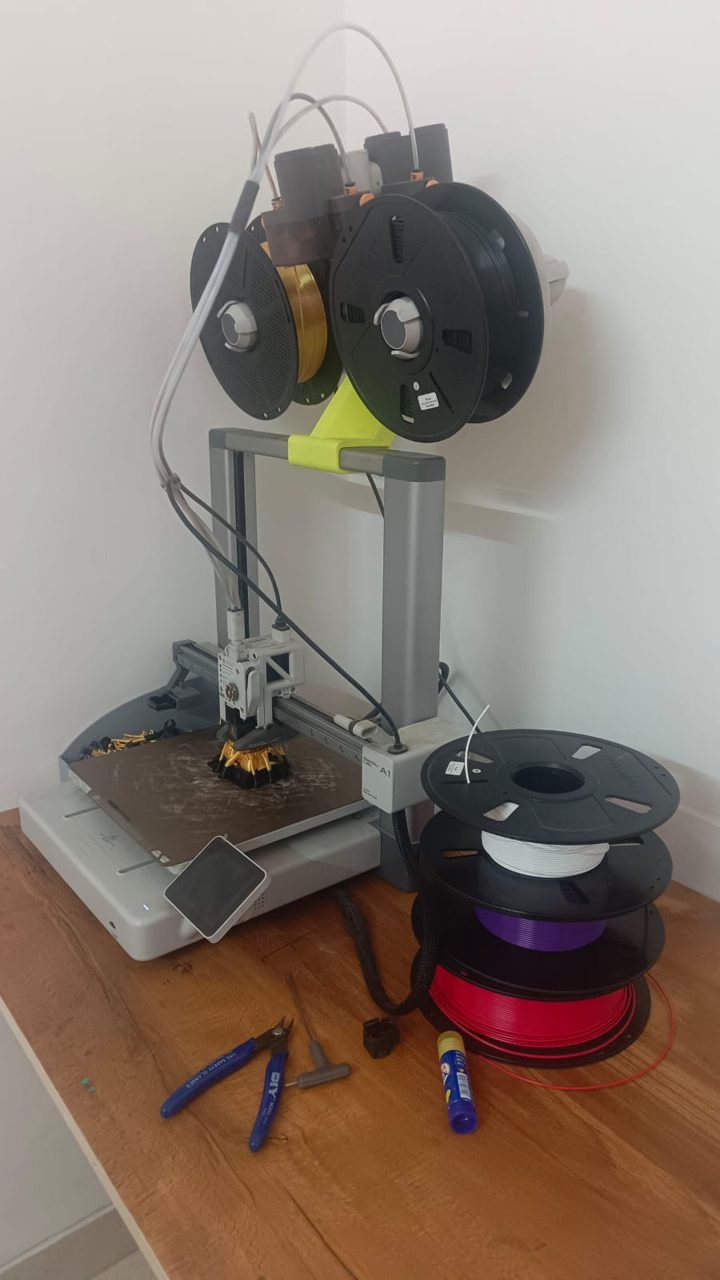
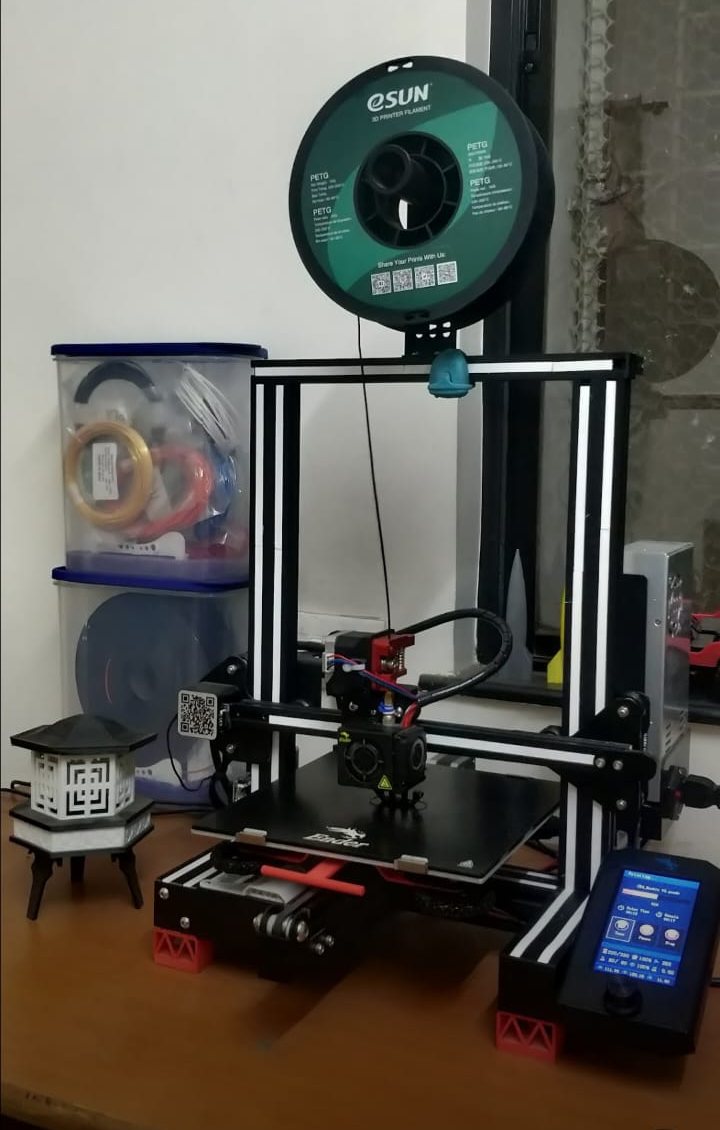
| Feature | Bambu Lab A1 | Creality Ender 3 V3 KE |
|---|---|---|
| Type | FDM (bed-slinger) | FDM (bed-slinger) |
| Build volume | 256 × 256 × 256 mm | 220 × 220 × 240 mm |
| Max speed | 500 mm/s | 500 mm/s (≈300 typical) |
| Acceleration | 10,000 mm/s² | 8,000 mm/s² |
| Auto levelling | Full-auto (flow, Z-offset, levelling) | CR-Touch automatic |
| Firmware | Bambu (closed) | Klipper / Creality OS (open) |
| Multi-colour | AMS lite (up to 4 colours) | None (single colour) |
| Monitoring camera | Built-in (1080p) | None |
| Filaments | PLA, PETG, TPU, PVA (ABS/ASA not advised) | PLA, PETG, TPU, ABS |
| Connectivity | Wi-Fi (LAN-only mode) | Wi-Fi, USB |
| Best for | Hands-off ease, multi-colour, production | Lower price, tinkering, ABS |
This is the whole decision. The A1 is a closed, polished system: it calibrates itself, the AMS lite bolts on for up to four-colour printing, a built-in camera lets you watch jobs remotely, and Bambu Studio profiles mean you rarely touch a setting. You pay more, and you stay inside Bambu's ecosystem. The Ender 3 V3 KE goes the other way: it runs Klipper, the open firmware enthusiasts love, so input shaping and pressure advance are built in and almost everything is tweakable. It costs less, prints ABS, and rewards a little hands-on learning.
The A1 also gives you a bigger bed — 256 mm versus 240 mm tall and wider in plan — and the AMS lite, so multi-part and multi-colour jobs are easier in one go. If colour and walk-away reliability matter, that is worth the premium; if not, the KE's savings buy a lot of filament.
More than the brands suggest. Both are open-frame bed-slingers that auto-level, both top out at a headline 500 mm/s, both connect over Wi-Fi, and both give clean, dependable PLA and PETG prints once set up. Neither is enclosed, so both want a sealed box with silica gel for filament in the monsoon. For everyday single-colour printing, the quality gap between them is small.
Both quote 500 mm/s, but they get there differently. The A1 pairs that speed with tuned Bambu profiles and input shaping, so prints come out clean with almost no fiddling. The Ender 3 V3 KE also hits 500 mm/s (around 300 mm/s in normal use) and, because it runs Klipper, exposes input shaping and pressure advance for you to tune — which can match the A1's quality once dialled in, but expects more from you. For most people the A1 is more consistent untouched; the KE has a higher ceiling if you like tuning.
The A1 is close to plug-and-play: pre-assembled, full auto-calibration, and ready profiles mean a good first print on day one. The KE arrives semi-assembled, auto-levels with CR-Touch, and is genuinely beginner-friendly — but being an open Klipper machine, it puts more settings on show. If "press print and walk away" is the goal, the A1 wins; if learning the craft is part of the appeal, the KE rewards it.
This is the cleanest split. The A1 lives in Bambu's closed ecosystem — Bambu Studio, the Handy app, cloud, and RFID filament auto-config — polished but locked. The KE runs open Klipper/Creality OS with a web interface and community mods, at the cost of that turnkey polish. Pick the A1 for convenience, the KE for control.
The KE's open frame plus a 300°C hotend handles PLA, PETG, TPU and ABS. The A1 is also open-frame and officially sticks to PLA, PETG, TPU and PVA — ABS and ASA aren't advised because an open machine can't hold chamber heat. If you need tougher ABS parts (and have ventilation), the KE is more capable; for everyday PLA and PETG, they're level.
Only the A1 does multi-colour, via the optional AMS lite (up to four colours), and it includes a built-in 1080p camera for remote monitoring and timelapses. The KE has neither — it is a focused single-colour machine. If colour or watching long prints from your phone matters, that is an A1-only advantage.
Both are open bed-slingers that need clear space front-to-back for the moving bed. The A1 runs as low as ~49 dB and is comfortable on a desk; the KE is similarly quiet thanks to its 32-bit silent board. Footprints are close, with the A1 slightly larger for its 256 mm bed versus the KE's 220×220×240 mm.
Filament is the main ongoing cost for both. The difference is parts and help: the Ender 3 line is the most widespread in India, so nozzles, hotends and spares are cheap and everywhere, and community fixes are a search away. Bambu spares are available but pricier and more proprietary. For low running and repair costs the KE has the edge; for fewer repairs in the first place, the A1's reliability counts.
The KE adds ABS to its material list, which the open-frame A1 does not recommend — useful if you need tougher, heat-resistant parts and have ventilation. The A1 counters with its 1080p camera and timelapse, genuinely handy for watching long prints remotely. The KE's Klipper base means firmware updates and community mods keep improving it; the A1's closed system is more locked down but also more foolproof.
One honest note: early A1 units had a heatbed cable fault that led Bambu Lab to issue a recall and a fix. Current A1 printers ship with a reinforced cable, so newly bought, sealed stock is not affected.
Choose the Bambu Lab A1 if you want the easiest possible experience, the option of multi-colour printing with the AMS lite, and a camera to watch long jobs. It is the better pick for anyone who would rather print than tinker — and for small-scale sellers who value consistent, hands-off output.
Choose the Creality Ender 3 V3 KE if price is the priority, you want the freedom of open Klipper firmware, or you need to print ABS. It is the stronger pure-value buy and the more rewarding machine if you enjoy dialling a printer in.
Prices move often in India, so check the latest on each printer's page before deciding — when the gap narrows, the A1's extras are an easy yes; when it widens, the KE's savings are hard to argue with.
Both sit in a similar sub-₹30,000 band, with prices moving on sales and stock — check each printer's page for the live figure rather than trusting a fixed number. The Ender 3 V3 KE benefits from the widest dealer and spare-part network in the country; the A1 is sold on Amazon.in and through Bambu's growing India presence. Whichever you choose, two local habits matter more than the brand: during the monsoon keep PLA and PETG in a sealed box with silica gel so they don't absorb moisture and string, and run long prints on a UPS so a power cut doesn't ruin an overnight job. If you plan to print ABS on the KE, do it in a ventilated space.
Read our full reviews and current pricing for each:
What is the main difference between the Bambu Lab A1 and the Creality Ender 3 V3 KE?
The A1 is a polished, hands-off machine with optional four-colour printing (AMS lite) and a built-in camera. The Ender 3 V3 KE is cheaper, runs open Klipper firmware and prints ABS, but is single-colour with no camera.
Which is easier for a beginner?
The Bambu Lab A1. It self-calibrates and prints cleanly out of the box with the least fuss. The Ender 3 V3 KE is still beginner-friendly thanks to CR-Touch auto-levelling, but its Klipper base rewards a little tinkering.
Which is better value in India?
The Ender 3 V3 KE usually costs less and prints a wider range of materials including ABS, so it is the stronger pure-value pick. The A1 costs more but adds multi-colour and a camera. Check both on Amazon, as prices move week to week.
Can either printer print in multiple colours?
Only the A1, with the optional AMS lite for up to four colours. The Ender 3 V3 KE is single-colour.
Which handles Indian conditions better?
Both are open-frame and need the same care: silica gel for filament during the monsoon and a UPS for long prints during power cuts. The KE's ABS support is only worth using with good ventilation.
Which should I buy for a small print business?
The A1 if multi-colour and consistent, hands-off output matter for orders. The Ender 3 V3 KE if you want the lowest entry cost and mainly print single-colour functional parts.
Does the A1 or Ender 3 V3 KE print faster in real use?
Both peak at 500 mm/s. In everyday printing the A1 reaches a clean result faster with no tuning, while the KE runs around 300 mm/s typically and can be pushed further with Klipper tuning.
Can the Ender 3 V3 KE print ABS when the A1 can't?
Yes. The KE's 300°C hotend handles ABS (use good ventilation), whereas the open-frame A1 is officially limited to PLA, PETG, TPU and PVA.
Is the A1 worth the extra money over the Ender 3 V3 KE?
If you value hands-off reliability, optional multi-colour and a built-in camera, yes. If price, open Klipper firmware and ABS capability matter more, the KE is the better value.
Which is easier to repair in India?
The Ender 3 V3 KE. Ender 3 spares, nozzles and community help are the most widely available in India, so repairs are cheaper and quicker.
